Score Board1.5
Publisher Description
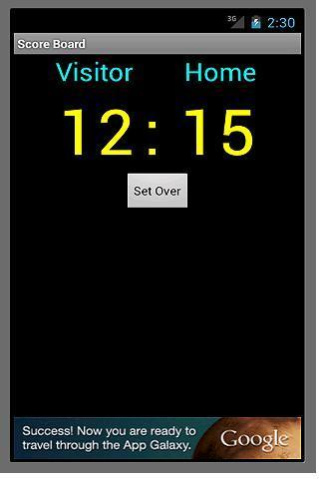
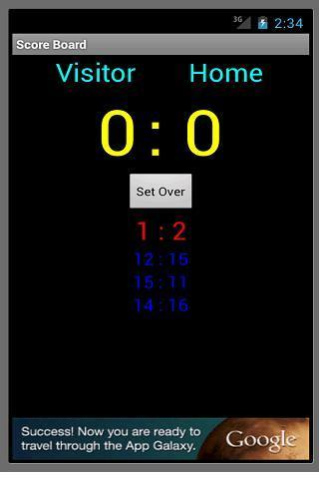
This application provide you a score board. Its UI is very simple. If you touch the number of score, it will be increased. And if you click the name of team, a new dialog for editing the name of team is appeared. You can edit the name of team. Click the button name "set over", the score is cleared and moved a set score. Enjoy it!!!
About Score Board
The company that develops Score Board is Handol Kim. The latest version released by its developer is 1.5.
To install Score Board on your Android device, just click the green Continue To App button above to start the installation process. The app is listed on our website since 2017-01-31 and was downloaded 1 times. We have already checked if the download link is safe, however for your own protection we recommend that you scan the downloaded app with your antivirus. Your antivirus may detect the Score Board as malware as malware if the download link to kor.handol.scrbrd is broken.
How to install Score Board on your Android device:
- Click on the Continue To App button on our website. This will redirect you to Google Play.
- Once the Score Board is shown in the Google Play listing of your Android device, you can start its download and installation. Tap on the Install button located below the search bar and to the right of the app icon.
- A pop-up window with the permissions required by Score Board will be shown. Click on Accept to continue the process.
- Score Board will be downloaded onto your device, displaying a progress. Once the download completes, the installation will start and you'll get a notification after the installation is finished.
Program Details
System requirements
Download information
Pricing
Version History
version 1.5
posted on 2017-01-31
V1.5: Modified Timer display
V1.4 Reload
Timer is added. If you touch timer, the timer setup dialog is appeared. And you can select the type of timer. "Lap time" is increasing timer and "Timer" is decreasing timer. If you select "timer", you can setup the initial value of timer.
V1.3 -- Power management function is added.
version 1.5
posted on 2017-02-01
V1.5: Modified Timer display
V1.4 Reload
Timer is added. If you touch timer, the timer setup dialog is appeared. And you can select the type of timer. "Lap time" is increasing timer and "Timer" is decreasing timer. If you select "timer", you can setup the initial value of timer.
V1.3 -- Power management function is added.
